Free resources

Planning tools and checklists for your business

Prepare a website brief, compare project costs or map an automation workflow before requesting a proposal. These resources are designed around practical decisions Pakistani businesses face. Use them with your team or any provider; no signup is needed.

Work through the decisions

Interactive calculator

Automation pilot results

Calculate observed completion, handoff and failure rates, compare total staff time and review entered operating cost. The synthetic example includes a pilot that takes more staff time than the manual baseline.

Open the pilot results calculator and worksheet
Interactive calculator

Website cost planner in PKR

Explore BringPak package options and separate setup work from monthly hosting and an annual maintenance allowance. Use the first-year breakdown as a starting point for a written quote.

The figures use BringPak's listed options. Confirm scope, package overlap and third-party fees before agreeing a budget.

Open the website cost calculator

Interactive planner

Automation pilot brief

Choose the task, allowed actions, language and available integration access. Get a suggested starting checklist, then copy or download a brief for your proposal discussions.

The planner helps scope a pilot. Provider access, permissions and operating costs still need review; it does not forecast savings.

Build an automation pilot brief

Review a website before launch

Check a business website, online store or private portal with the people who will operate it. Record reviewed items, unresolved work and scope decisions with short evidence references, then copy or download your review. The worksheet does not scan a website or provide a ranking score.

Open the website launch checklist and review builder

Download the blank launch review worksheet (TXT)

Private portals and existing business records

Compare two website proposals

Put scope, content editing, account ownership and first-year costs beside each other. Work through a synthetic PKR example and record unknown charges before choosing a provider.

Read the proposal comparison guide and download the worksheet

Editable TXT worksheet

Website project brief template

List the customer journey, pages, content responsibilities, integrations, account ownership and acceptance checks before comparing developers. The plain-text worksheet can be edited in a text editor or copied into your own document.

Start with one action customers should complete: enquire, request a booking or place an order. Mark unknown details as questions for the proposal rather than assuming they are included.

Download the project brief (TXT)

Editable TXT or printable PDF worksheet

Compare AI automation proposals

Give each provider the same workflow brief, then record what was demonstrated, what still needs testing, which integrations depend on access and what is excluded. Compare setup and recurring costs alongside account ownership and the handover.

Use this with any agency. Evidence labels describe the proposal; they do not certify a provider or forecast savings. Edit locally without submitting your answers.

Download the proposal comparison worksheet (TXT)

Download the printable proposal worksheet (PDF, 3 pages)

Print the PDF and complete it by hand. For typing and copying a record for each provider, use the TXT version.

Read how to choose an AI automation agency in Pakistan

Editable TXT worksheet

AI sales and support agent pilot checks

Ten sample cases cover Roman Urdu questions, unclear product requests, missing stock access, duplicate events, permission limits and staff handoff. Record the actual response, evidence and next action for each case using synthetic data in a test environment.

Use the worksheet with any provider. These are illustrative acceptance checks, not measured client results or a certification. Downloading it does not send information to BringPak.

Download the AI agent test worksheet (TXT)

Read the ten pilot test cases

Checklists to share with your team

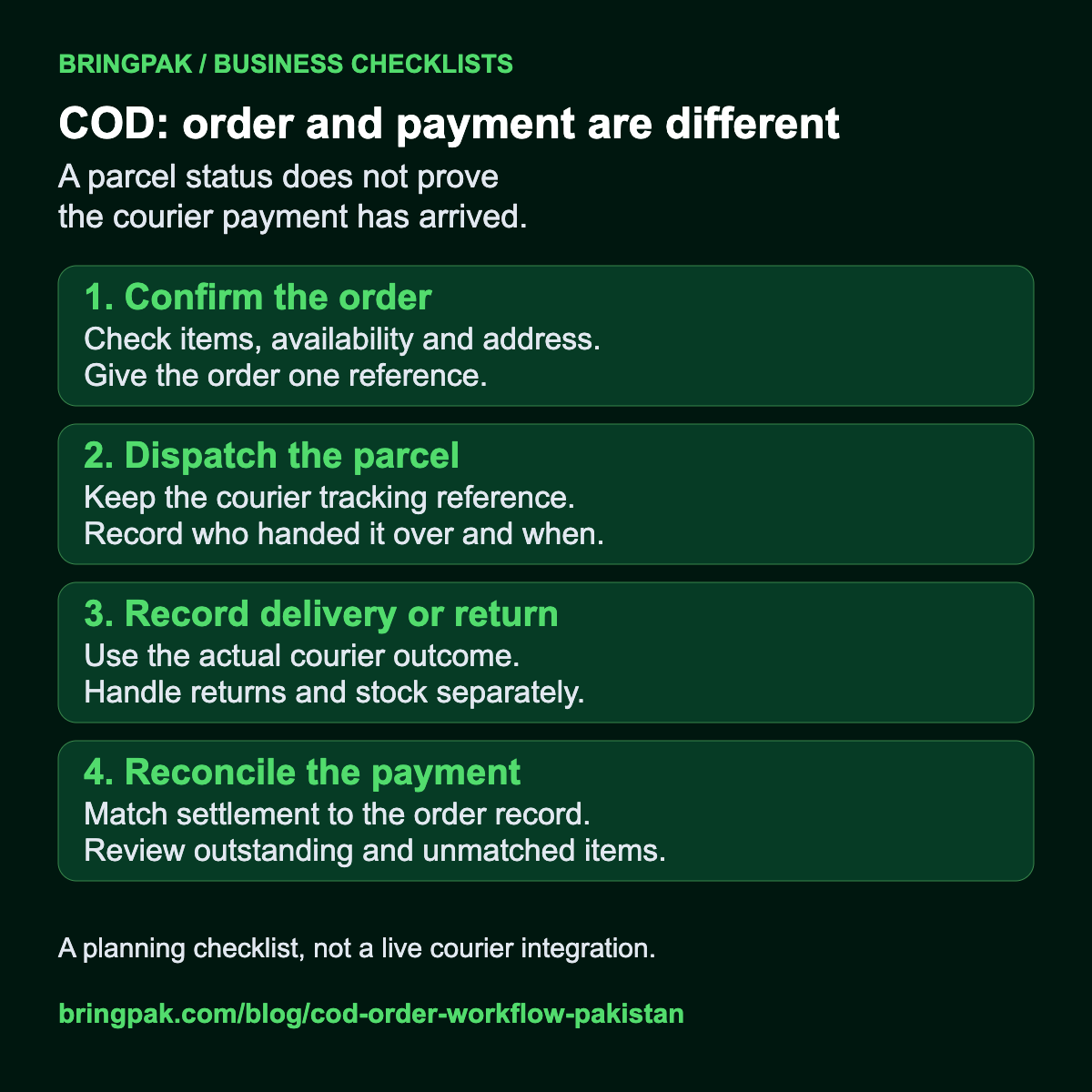
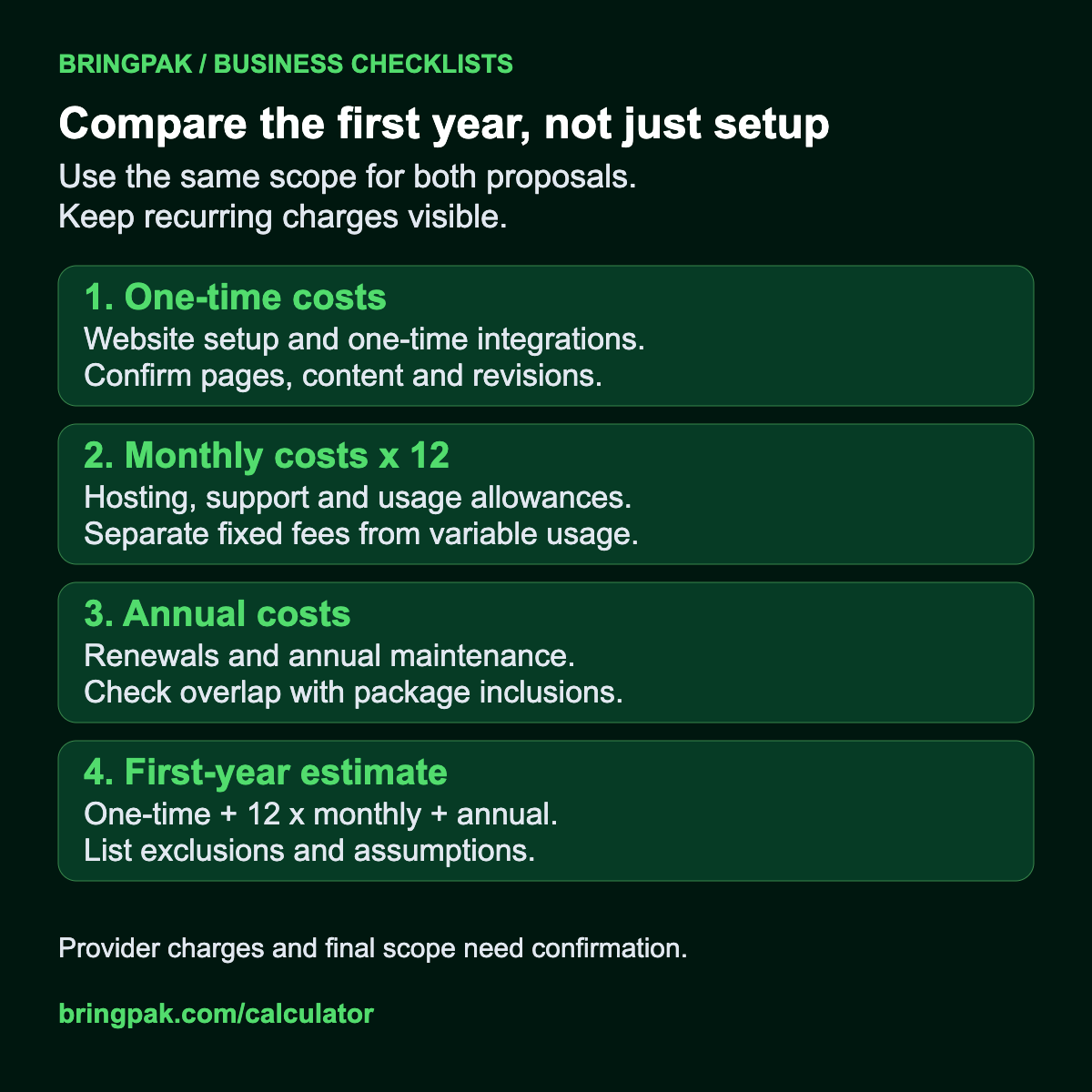
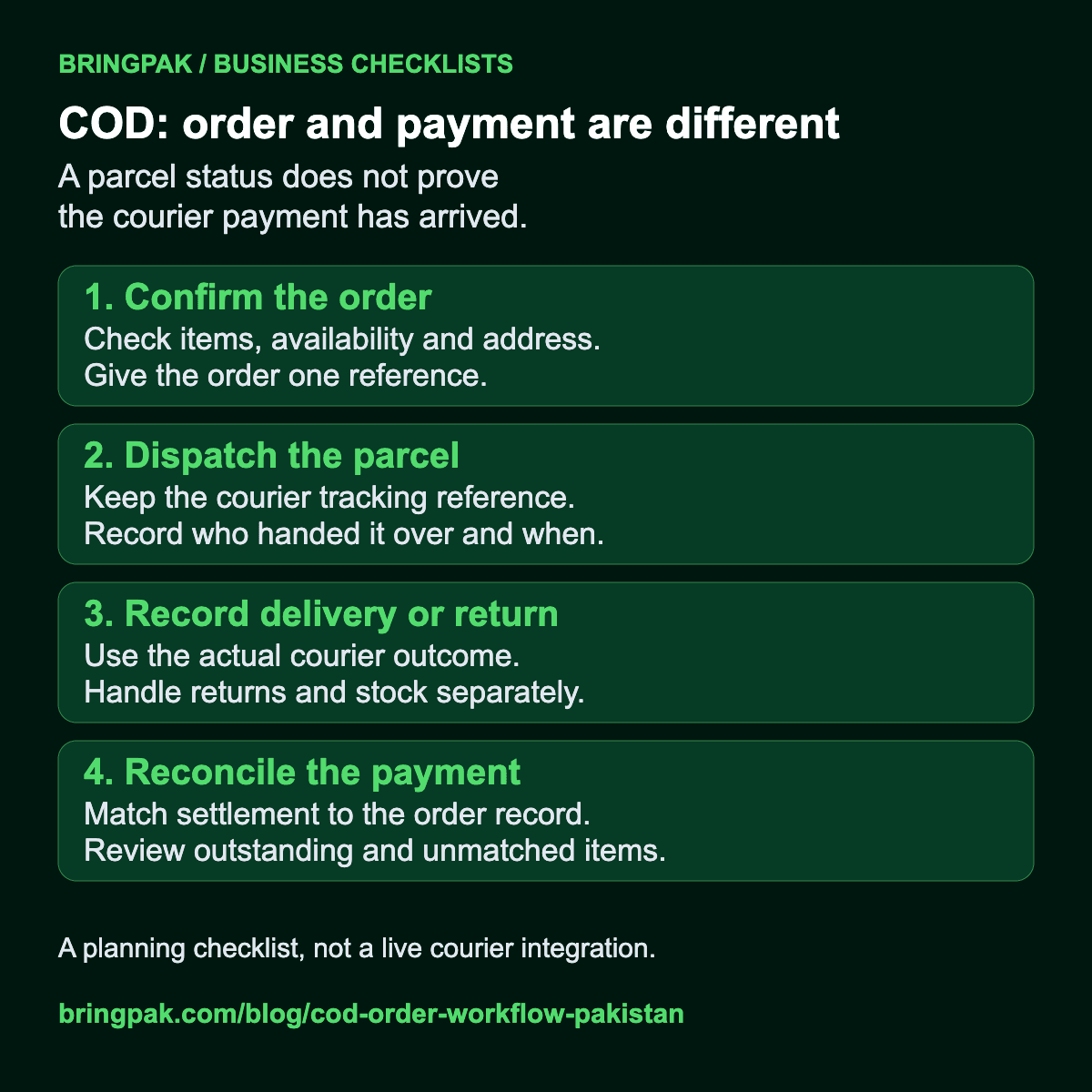
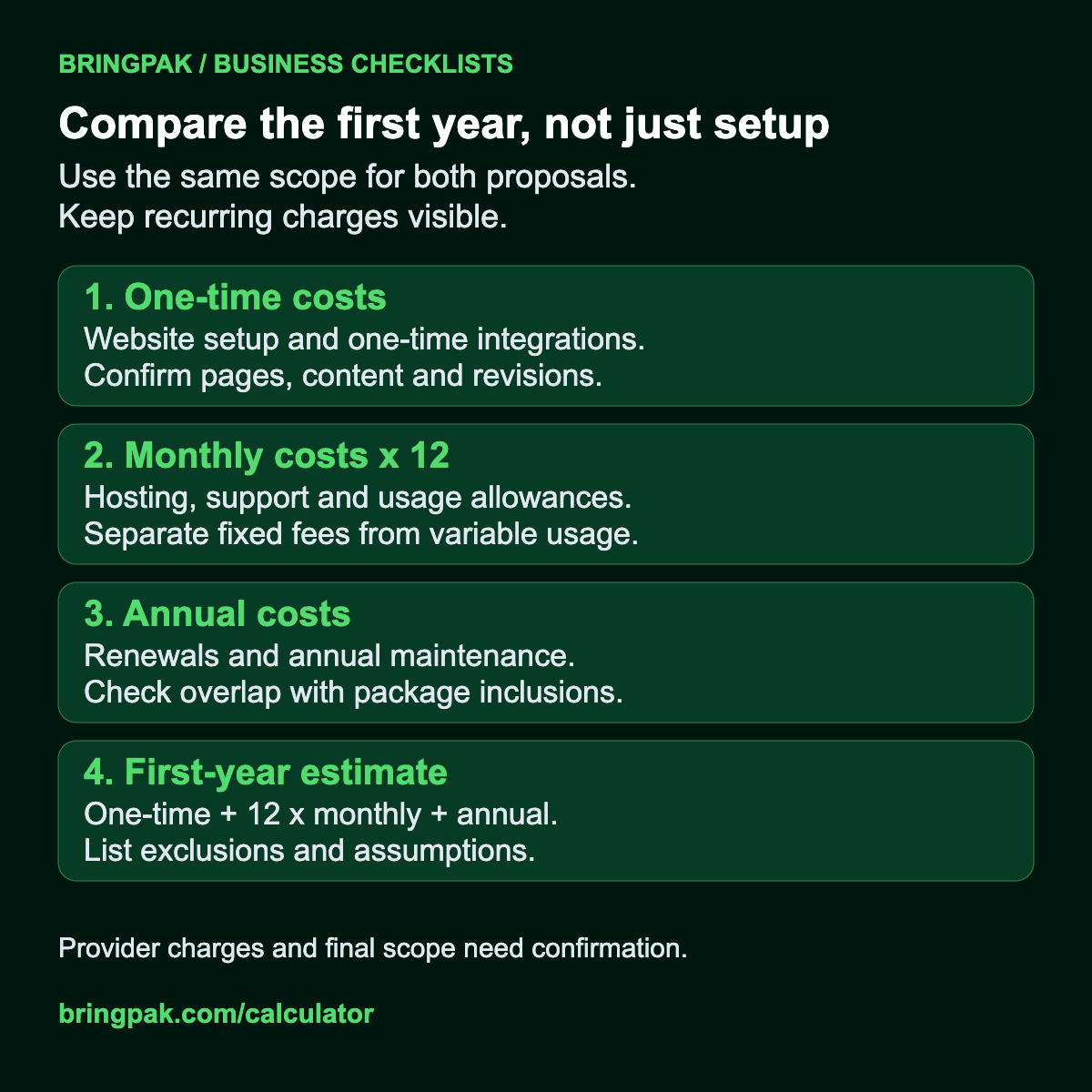
Save these original BringPak diagrams for a planning discussion. They describe checks to perform; they are not reports of measured client results. Confirm each step against your own process and provider agreements.

An example of a measured website change

Our contact-form engineering note shows how separating service names from full guide text changed the scripts in a local build. Read the method and limitations alongside the recorded figures when assessing a performance claim.

Read the contact-form JavaScript cleanup note

View the local build measurement record (JSON)

Read the context, then decide your next step

Explore the business website and automation guides for worked planning examples. If you want BringPak to review your requirements, discuss your project with the team. Preparing a worksheet does not book a service or send an enquiry.